Domestic appliance care for homes & landlordsM25 · Surrey · All DA & RM

Optional website measurement

May we count clicks on our phone and WhatsApp links to improve this website? We save daily page totals, without visitor identifiers or message contents. Choosing either option does not affect contacting us. Details and privacy.

Optional link counting is off.

Find help for your appliance

Ask about a problem, repair or installation. Add your appliance, brand and town or postcode for relevant answers and services.

UKCDA answers

More than 10,000 repairs completed Browse answered questions or Ask UKCDA privately.
What about the parts guarantee?

Parts-guarantee terms vary by part and supplier. Ask our team to confirm the cover for your repair.

UKCDA · LONDON & SURREY

Washing machine repairs in London & Surrey

Washing machine repairs across London, Surrey, DA and RM. Check visit charges, fault guidance and fitted access before requesting a home visit with UKCDA.

Office hours: Monday–Saturday, 9am–7pm. Contact the team to check availability for your postcode; a visit time is agreed separately.

Read customer reviews on Checkatrade before deciding.

Need a visit for a faulty washing machine? Check your full postcode, then describe what happened during the last wash. We visit homes and rented properties across London, Surrey and all DA and RM postcodes. Leave fitted or stacked machines in place. A coverage result is not a confirmed appointment.

What does the repair visit cost?

Central London freestanding call-out £90; integrated from £120; other areas from £75. Parts extra.

Samsung, LG, Miele and Smeg have separate starting rates: from £90 plus parts outside Central London, or from £120 plus parts in Central London. Integrated appliances of any brand start from £120 plus parts in Central London. The office confirms the applicable charge.

The agreed charge covers the first visit, repair labour and any return visit needed to fit parts for the same agreed repair. There is no extra labour or repeat call-out charge for that repair.

Parts are priced separately and approved before fitting. The office confirms the fixed charge for the model, fitting type and service address before arranging a visit.

After diagnosis, the agreed call-out remains payable if you decide not to proceed with the repair or the required part is unavailable.

Charges, cover and additional work

For a Central London service address, the standard freestanding call-out is £90 plus parts. Integrated appliances of any brand start from £120 plus parts in Central London. Outside Central London, fixed call-out charges start from £75, depending on your appliance's make and model and whether it is freestanding, integrated or another appliance type. Our office confirms the service address and applicable amount by phone before arranging your visit.

A different fault, another appliance, installation, removal or alterations require a separately agreed scope and quote.

If a replacement part does not resolve the fault, we do not charge you for that part. The agreed call-out still applies and is non-refundable after the diagnostic visit. This does not affect your statutory rights.

Parts-cover duration and conditions depend on the part and supplier. Ask us to confirm the cover for your repair, including any labour cover, before agreeing the work. Check any existing manufacturer or service-plan cover first; UKCDA is an independent business.

Read the service terms

Start with your washing machine problem

This opens an editable enquiry; it does not send it or reserve an appointment. Add the full model, exact message and service postcode on the next page. No payment is taken by this form.

Describe what happened during normal use. Do not repeat an unsafe fault, open covers or move a fitted appliance to investigate.

WATCH A SHORT EXPLANATION

Washing machine problems explained

A general explanation of drainage, spinning, heating, unusual noise and leaks, and the details useful for a repair enquiry.

Press play when you are ready. English captions are available in the player controls. Open the video file if playback is unavailable.

A general explanation of possible problems, not a diagnosis or instructions for dismantling your appliance. Illustrative appliance views may differ from your model.

Read the written summary

A written overview of the symptoms and next step, not a word-for-word transcript.

Water left in the drum, failure to spin, unusual noise and a stopped programme can have different causes. A symptom alone does not identify a failed component or establish that a part needs replacing.

Describe what happened during normal use, the complete model and your postcode. Stop using the appliance if there is smoke, a burning smell, a leak or electrical tripping; do not remove panels or attempt electrical repairs.

Ready to describe the problem? Send the symptoms, full model and postcode. The team confirms suitability, availability and applicable charges.

Request a repair

DOMESTIC REPAIR ENQUIRIES

Arrange a washing machine repair

A full drum of wet washing is the last thing you need. Tell us whether the machine stops, leaks or refuses to spin so we can prepare for the visit.

  1. Describe the appliance and fault. Send the brand, full model if safely available, any display message and full service postcode. Describe the last normal use. Do not run an unsafe appliance to show the fault.
  2. Agree the visit with the office. Before confirming a visit, we check model suitability, access, the applicable fixed call-out charge and available appointments. An online request does not book a visit.
  3. Discuss the repair after assessment. Symptoms help us prepare, but do not identify a failed part. We quote any parts needed separately for your approval before fitting.

Useful details to have ready

Say whether it stops during filling, washing, draining or spinning. Mention a furniture door, stacked dryer or restricted access. A machine that washes and dries in the same drum belongs under washer dryer repairs.

The model can come from safely accessible paperwork or the appliance label. Find your model reference safely; do not remove covers, furniture panels or move a heavy appliance to look for it.

For a rented property, include the visit contact and who can authorise charges. UKCDA is independent; check any manufacturer cover before arranging paid work.

Common symptom questions

Why is my washing machine not draining?

Water left in the drum can result from a restriction in the waste hose or pump area. An engineer checks the drainage path and pump operation before deciding whether a part needs replacing; the symptom alone does not establish a failed pump. Tell us whether the programme stopped, the door remains locked or a message appeared, and mention recent fitting or sink-waste changes. Keep a water-filled or locked machine undisturbed. Do not loosen hoses or open a filter to investigate; retained water may be hot.

Why does my washing machine drain but leave clothes wet?

Check the programme and spin option in your handbook. A low spin setting or an uneven load can leave clothes wetter than usual. Bosch describes both possibilities; settings vary by model. Standing water is a different drainage symptom. Report a change despite your usual programme and load. Do not assume the motor has failed or run extra cycles to demonstrate the fault.

Does a locked washing machine door mean the latch is broken?

Not necessarily. Water inside or a high drum temperature can keep a door locked for safety; Samsung's guidance gives these examples. Follow the unlock instructions for the exact model and let a hot machine cool. Do not force the door or open a water-filled filter. If the lock remains after the normal conditions in the handbook have cleared, request an assessment and say whether water is still visible.

What if the washing machine leaks or trips the electricity?

Possible leak sources include the door seal, excess foam at the detergent drawer, hose connections or an internal water path. Water can travel beneath the cabinet, so a puddle does not establish the source. An engineer assesses the location and cause before proposing work. Stop using the machine; do not touch wet controls, plugs or wiring. Use an accessible dry isolator only if safe. Do not reset a tripping circuit or pull out a fitted machine. Report whether the leak appeared while filling, washing or draining, without running another cycle to demonstrate it.

What if the controls light up but no water enters?

Tell us whether the programme begins, pauses or shows a message. Copy the programme name and display text, and mention recent fitting or plumbing work. Use your model's handbook for normal settings and checks you can make safely. Leave hidden hoses and fitted panels in place; you do not need to identify a valve or another replacement part before contacting us.

These are general appliance observations, not a diagnosis for every brand or model. Read the safe-check guidance, compare repair and replacement considerations, or find your model reference safely.

Manufacturer examples: Bosch: wet clothes after a spin, possible washing-machine leak sources, drainage restrictions and Samsung: when a washer door stays locked. Use your own model's instructions; these examples are not universal control sequences.

Preparing for your washing machine visit

A new noise or movement during the wash

Describe when it happened: filling, washing, draining or spinning. Mention recent delivery, moving or installation, and whether the machine also leaked or stopped. An existing recording may help describe the sound. Do not run another cycle just to record it, move a stacked appliance or assume that noise proves failed bearings.

Freestanding, integrated or stacked

An integrated washing machine may need its furniture door and plinth considered before access. A stacked machine needs a safe plan for the appliance above it. Describe the arrangement when enquiring, and do not pull a heavy machine out yourself. Tell the office if the water isolation valve is inaccessible or there is active leaking.

What can you check safely?

First distinguish water still in the drum from clothes that are wet after the water has drained. Check the programme and spin setting in the model handbook; a rinse-hold option is different from a drainage failure. Record any displayed code. Filter maintenance is model-specific: do not open a water-filled filter or force a locked door. Leave a leaking or electrically unsafe machine unused.

Repair or replacement: what affects the decision?

The fault assessment, appliance condition, suitable parts and your preferences determine the options—not its age or an online error-code list alone. Compare the assessed repair total with the cost of a suitable replacement, including any separately quoted delivery, removal and fitting. Check any existing manufacturer cover before agreeing independent paid work. We explain the agreed charge and any proposed parts before fitting; a successful repair or first-visit completion cannot be promised.

If you are considering a replacement, compare the proposed model's dimensions, connections and manufacturer fitting requirements. An existing cabinet or connection does not establish compatibility. Removal, alterations and fitting are separate from the repair request.

Check the installation preparation for this appliance before arranging replacement fitting.

Washing machine guides by brand

Choose specific appliance guidance where available, or the manufacturer's model and enquiry information.

Considering a replacement?

Washing machine installation guidance: Freestanding and integrated models, where available.

Share the new model, whether it sits behind a furniture door, and any stacked appliance above it. Mention restricted access to the existing water, waste and power connections.

Installation is quoted separately for the agreed fitting work; it is not included in a repair call-out.

London, Surrey, DA and RM repair visits

We accept domestic repair enquiries across London, every address inside the M25, all of Surrey and every DA and RM postcode, including DA/RM addresses outside the motorway. Tell us the complete service postcode and any building-entry or parking arrangements. Coverage does not confirm an appointment: the office checks the address, model and availability before agreeing the visit.

Choosing and arranging your washing machine repair

Practical answers about home visits, charges, urgent enquiries and who authorises work in a rented property.

See the current call-out charges

Do you visit my home, or do I bring the machine to you?

We arrange visits at homes and rented properties inside the M25 and A282 loop, throughout Surrey, and at all DA and RM postcodes. Check your full postcode and tell us about access. Leave the machine in place. Our correspondence address is not an agreed drop-off appointment.

The office checks your address, model and available appointments before confirming a visit. The coverage checker does not reserve one.

Can you assess an integrated or stacked machine?

Send the make and full model, if safely available. Mention any furniture door, dryer stacked above it or restricted access. We check the expertise and access needed before accepting the work. A listed brand does not mean every model can be repaired.

When choosing an engineer, check clear charges, model suitability and genuine recent customer feedback. Ask about the proposed work and repair cover. UKCDA is independent; no manufacturer approval or review-directory membership is implied.

How do I request a visit?

Send a repair enquiry or call 07474 369490. Include your postcode, model and what happened during the last wash. Copy any displayed message, but do not run another cycle to reproduce it. The office confirms the appointment and charge; the form does not reserve a time slot.

Can I request an urgent appointment?

Call the office for current availability. Same-day or round-the-clock attendance is not promised. We must check the appliance, address and available appointments first.

Stop using a machine that leaks near electrics, smells burnt or trips the supply. Do not repeat an unsafe cycle while waiting.

What will the repair cost?

Check the current call-out charges and premium-brand rates. The office confirms the amount for your postcode, make, model and fitting before the visit. The starting charge is not an all-inclusive quote.

The assessment establishes which part, if any, is needed. A noise or code alone cannot set its price. Parts are priced separately and approved before fitting. Ask for the proposed total before approving work. Check existing manufacturer or service-plan cover before arranging an independent paid visit.

What does the call-out include? Is labour charged hourly?

The agreed charge covers the first visit, repair labour and any return visit needed to fit parts for the same agreed repair. There is no extra labour or repeat call-out charge for that repair. Parts are priced separately and approved before fitting.

Labour for the same agreed repair is included, rather than billed by the hour. The call-out and parts policy explains what you pay if you decline the repair, the part is unavailable or a replacement part does not resolve the fault. Another appliance or different work needs a separate agreement.

Parts-cover duration and conditions depend on the part and supplier. Ask us to confirm the cover for your repair, including any labour cover, before agreeing the work.

Should I repair the machine or replace it?

Compare the proposed repair with a suitable replacement, including delivery, fitting and removal. Consider the fault, condition, parts availability and whether the replacement fits. Read the decision guidance. Installation, removal or alterations need their own agreed scope and quote.

Who authorises work in a rented home?

Check your tenancy arrangements and contact the landlord or managing agent before arranging chargeable work. Establish who can approve and pay for it. If you authorise the work yourself, confirm the charge and scope with the office. Include the visit contact and the person approving the work if they are different people.

Local washing machine repair guides

These guides explain enquiries for this appliance at the stated location. For other covered addresses, use the service-area directory.

UNDERSTAND YOUR DISPLAY

Manufacturer error-code guidance

Choose the exact brand, appliance and message. A code describes a detected condition; it does not confirm a failed part. Check the complete model against the linked manufacturer guidance. For an unlisted message, use “Find appliance help” above or send your model and question privately.

Electrolux washer E20: drainage

Model check: Article explicitly includes washing machines and washer dryers.

For Electrolux washing machines covered by this UK guide, E20 indicates a water-drainage problem. Confirm the meaning in your exact model's manual; the code alone does not identify a failed part. Send the full model reference, complete display code and when it appeared. Leave internal parts and connections alone and arrange assessment if the problem persists.

Read the official Electrolux guidance · Book a repair assessment

Electrolux washer E40: door-lock indication

Model check: UK laundry overview; exact E40 only.

For Electrolux washing machines covered by this UK overview, E40 concerns the door-lock system. Confirm the complete display and your exact model's manual; a code is not proof that the lock itself needs replacement. Do not force or bypass the door. Describe whether it is stuck locked or the programme will not start when requesting assessment.

Read the official Electrolux guidance · Book a repair assessment

Grundig GWP5744W washing machine E5

Model check: GWP5744W English manual only; confirm the regional model version.

For the Grundig GWP5744W manual reviewed here, E5 can indicate a clogged pump filter. Report retained water without opening a hot or water-filled component. Check your exact manual before routine maintenance.

Read the official Grundig guidance · Book a repair assessment

Grundig GWP5744W washing machine E18

Model check: GWP5744W English manual only; confirm the regional model version.

For this Grundig GWP5744W, E18 means spinning did not begin because of an imbalance. It has a different meaning from Bosch E18. Follow only this model's loading instructions and describe recurring behaviour.

Read the official Grundig guidance · Book a repair assessment

Grundig GWP5744W washing machine E29

Model check: GWP5744W English manual only; confirm the regional model version.

For this Grundig GWP5744W, E29 reports protective operation following a supply problem, such as voltage or water pressure. It does not identify a failed component. Send the full model and circumstances.

Read the official Grundig guidance · Book a repair assessment

Montpellier MW5100P washing machine E01

Model check: MW5100P manual only; other Montpellier models may differ.

For the Montpellier MW5100P, E01 indicates the door is not shut properly. Check for an obvious trapped garment without forcing the door. If it persists, stop the machine and request model-specific assessment.

Read the official Montpellier guidance · Book a repair assessment

Bush WMSAE1012EB washing machine E01

Model check: Bush WMSAE1012EB support only; other models require their own manual.

For the Bush WMSAE1012EB, E01 indicates the door is not properly closed. Check for trapped laundry without forcing the door. If ordinary closure does not resolve it, request assessment.

Read the official Bush guidance · Book a repair assessment

Bush WMSAE1012EB washing machine E03

Model check: Bush WMSAE1012EB support only; other models require their own manual.

For the Bush WMSAE1012EB, E03 indicates a drainage problem. Report whether water remains inside. Do not open a hot or water-filled filter; follow only the exact model's safe maintenance instructions.

Read the official Bush guidance · Book a repair assessment

Bush WMSAE1012EB washing machine E04

Model check: Bush WMSAE1012EB support only; other models require their own manual.

For the Bush WMSAE1012EB, E04 indicates excessive water. Leave the machine unused, close the accessible supply if safe and request assessment. Do not repeatedly restart it.

Read the official Bush guidance · Book a repair assessment

Logik L1016WM18 washing machine E10

Model check: L1016WM18 manual only; other Logik generations can differ.

For the Logik L1016WM18, E10 reports a water-inlet problem during washing. Describe whether water enters and whether the household supply works. Keep fitted hoses and connections in place.

Read the official Logik guidance · Book a repair assessment

Logik L1016WM18 washing machine E21

Model check: L1016WM18 manual only; other Logik generations can differ.

For the Logik L1016WM18, E21 reports a drainage problem during washing. It is not proof of pump failure. Report retained water and leave unsafe filter or internal checks to an engineer.

Read the official Logik guidance · Book a repair assessment

Logik L1016WM18 washing machine E30

Model check: L1016WM18 manual only; other Logik generations can differ.

For the Logik L1016WM18, E30 reports a door-lock problem. Check normal door closure and visible trapped laundry without force. A persistent warning needs model-specific assessment.

Read the official Logik guidance · Book a repair assessment

Electrolux washing machine E10: water flow

Model check: Electrolux UK support: washing machines and washer-dryers listed in this article; confirm the model and PNC.

Electrolux describes this as a water-flow warning: the machine may not be filling sufficiently, or its drainage arrangement may affect filling. It does not identify a failed inlet valve by itself. Note whether water enters and provide the model and PNC for assessment.

Read the official Electrolux guidance · Book a repair assessment

Electrolux washing machine E22: drainage

Model check: Electrolux UK; article-listed washing machines; confirm PNC.

E22/E23/E24 indicate drainage trouble in Electrolux's guidance. Report remaining water and the PNC; assessment is needed before identifying parts.

Read the official Electrolux guidance · Book a repair assessment

Electrolux washing machine E41: door recognition

Model check: Electrolux UK support: washing machines and washer-dryers listed in this article; confirm the model and PNC.

Electrolux says E41 means the door or lid is not securely closed or recognised as closed. Trapped laundry and a locking problem are possible explanations. Do not force a locked door; persistent errors despite normal closure need the model-specific lock system assessed.

Read the official Electrolux guidance · Book a repair assessment

Electrolux washing machine E50: motor operation

Model check: Electrolux UK support: washing machines and washer-dryers listed in this article; confirm the model and PNC.

Electrolux identifies E50, C9 and F9 as motor or motor-control trouble. The drum may stop turning, but the displayed code does not establish which component needs replacement. If it returns, stop using the machine and arrange a diagnostic visit with its model and PNC.

Read the official Electrolux guidance · Book a repair assessment

Electrolux washing machine E60: water heating

Model check: Electrolux UK support: washing machines and washer-dryers listed in this article; confirm the model and PNC.

Electrolux's UK laundry guide links the E60 family to a water-heating problem. A heater can be involved, but the exact cause requires testing. If the warning persists, leave the appliance switched off and provide the full code, model and product number when arranging service.

Read the official Electrolux guidance · Book a repair assessment

Smeg washing machine: service-required codes

Model check: Smeg UK laundry FAQ; check the appliance manual.

Smeg's UK guidance says these displays need an engineer. It does not identify a failed component. Supply the full model and code for assessment.

Read the official Smeg guidance · Book a repair assessment

Smeg washing machine: water-supply warnings

Model check: Smeg UK laundry FAQ; check the appliance manual.

Smeg links these displays to water-supply checks. Persistent warnings need model-specific assessment; do not open the appliance.

Read the official Smeg guidance · Book a repair assessment

Smeg washing machine: load warning

Model check: Smeg UK laundry FAQ; check the appliance manual.

Smeg links these codes to overloading. Washer-dryer wash and dry capacities can differ. Recurring warnings need model-specific advice.

Read the official Smeg guidance · Book a repair assessment

Caple washing machine: not filling

Model check: Caple UK appliance FAQ; code varies by washing-machine model.

Caple groups these displays with a washing machine that is not filling. The code used depends on the model. Provide the model number and describe whether water enters before the programme stops.

Read the official Caple guidance · Book a repair assessment

Caple washing machine: not draining

Model check: Caple UK appliance FAQ; code varies by washing-machine model.

Caple associates these codes with difficulty emptying water. The exact display varies across models, and it does not automatically prove a pump failure. Persistent drainage problems need an engineer's assessment.

Read the official Caple guidance · Book a repair assessment

Caple washing machine: unbalanced load

Model check: Caple UK appliance FAQ; confirm model-specific instructions.

Caple describes UNb as a load-balance warning. It can prevent the spin from completing without establishing a mechanical fault. If the problem recurs with ordinary loads, provide the model for further assessment.

Read the official Caple guidance · Book a repair assessment

Caple WMI3100: E01

Model check: Caple WMI3100 UK instruction manual.

On the WMI3100, E01 means the door has not closed properly. Match the full model before applying this explanation. If the warning remains, arrange inspection rather than dismantling the machine.

Read the official Caple guidance · Book a repair assessment

Caple WMI3100: E02

Model check: Caple WMI3100 UK instruction manual.

On the WMI3100, E02 means the water pressure or level may be too low. Match the full model before applying this explanation. If the warning remains, arrange inspection rather than dismantling the machine.

Read the official Caple guidance · Book a repair assessment

Caple WMI3100: E03

Model check: Caple WMI3100 UK instruction manual.

On the WMI3100, E03 means the pump, its filter or its electrical connection needs checking. Match the full model before applying this explanation. If the warning remains, arrange inspection rather than dismantling the machine.

Read the official Caple guidance · Book a repair assessment

Caple WMI3100: E04

Model check: Caple WMI3100 UK instruction manual.

On the WMI3100, E04 means an excessive amount of water has been detected. Match the full model before applying this explanation. If the warning remains, arrange inspection rather than dismantling the machine.

Read the official Caple guidance · Book a repair assessment

Sharp ES-NFB814AWNA-EN: E01

Model check: Sharp Europe ES-NFB814AWNA-EN English manual, document 10809168, page 28.

For Sharp ES-NFB814AWNA-EN, E01 concerns a door that is not shut properly. This is guidance for that model, not every Sharp washer. An engineer should investigate a persistent warning before identifying any failed component.

Read the official Sharp guidance · Book a repair assessment

Sharp ES-NFB814AWNA-EN: E02

Model check: Sharp Europe ES-NFB814AWNA-EN English manual, document 10809168, page 28.

For Sharp ES-NFB814AWNA-EN, E02 concerns low water pressure or water level. This is guidance for that model, not every Sharp washer. An engineer should investigate a persistent warning before identifying any failed component.

Read the official Sharp guidance · Book a repair assessment

Sharp ES-NFB814AWNA-EN: E03

Model check: Sharp Europe ES-NFB814AWNA-EN English manual, document 10809168, page 28.

For Sharp ES-NFB814AWNA-EN, E03 concerns a pump, filter or pump-connection problem. This is guidance for that model, not every Sharp washer. An engineer should investigate a persistent warning before identifying any failed component.

Read the official Sharp guidance · Book a repair assessment

Sharp ES-NFB814AWNA-EN: E04

Model check: Sharp Europe ES-NFB814AWNA-EN English manual, document 10809168, page 28.

For Sharp ES-NFB814AWNA-EN, E04 concerns too much water inside the machine. This is guidance for that model, not every Sharp washer. An engineer should investigate a persistent warning before identifying any failed component.

Read the official Sharp guidance · Book a repair assessment

Panasonic NA-168VX2: drainage warning

Model check: Panasonic Europe NA-168VX2 English manual, page 31.

For NA-168VX2, U11 means the machine cannot drain. Persistent warnings need drainage assessment; the display alone does not prove a pump failure.

Read the official Panasonic guidance · Book a repair assessment

Panasonic NA-168VX2: door warning

Model check: Panasonic Europe NA-168VX2 English manual, page 31.

On NA-168VX2, U12 means the door is open or not properly closed. A continuing warning needs assessment. Never force or bypass the lock.

Read the official Panasonic guidance · Book a repair assessment

Panasonic NA-168VX2: spin warning

Model check: Panasonic Europe NA-168VX2 English manual, page 31.

NA-168VX2 uses U13 when load balance or stability prevents spinning. This may be a protective response rather than a failed component.

Read the official Panasonic guidance · Book a repair assessment

Panasonic NA-168VX2: water-supply warning

Model check: Panasonic Europe NA-168VX2 English manual, page 31.

For NA-168VX2, U14 means water cannot enter as expected. Persistent warnings need supply and inlet assessment. Provide the model and code when requesting help.

Read the official Panasonic guidance · Book a repair assessment

Panasonic NA-168VX2: drain-filter warning

Model check: Panasonic Europe NA-168VX2 English manual, page 31.

On NA-168VX2, U18 reports that the drain filter is not correctly set. Seek model-specific help; do not open a hot or water-filled machine.

Read the official Panasonic guidance · Book a repair assessment

Panasonic NA-168VX2: service warning

Model check: Panasonic Europe NA-168VX2 English manual, page 31.

NA-168VX2 shows H01 as an example of an H-prefixed service warning. A recurring H display needs assessment; no particular component is identified here.

Read the official Panasonic guidance · Book a repair assessment

Montpellier MW6201P: E02

Model check: Montpellier MW6201P UK manual, page 23.

The MW6201P manual links E02 to low water pressure or level. Use the exact model when requesting help because this is not a universal code table. Persistent warnings require inspection before parts are chosen.

Read the official Montpellier guidance · Book a repair assessment

Montpellier MW6201P: E03

Model check: Montpellier MW6201P UK manual, page 23.

The MW6201P manual links E03 to a pump fault, blocked pump filter or electrical connection fault. Use the exact model when requesting help because this is not a universal code table. Persistent warnings require inspection before parts are chosen.

Read the official Montpellier guidance · Book a repair assessment

Montpellier MW6201P: E04

Model check: Montpellier MW6201P UK manual, page 23.

The MW6201P manual links E04 to excessive water inside the machine. Use the exact model when requesting help because this is not a universal code table. Persistent warnings require inspection before parts are chosen.

Read the official Montpellier guidance · Book a repair assessment

Leave electrical covers and fitted components in place. Stop using an appliance that leaks, overheats, smells burnt or trips the electrics. UKCDA is independent; check any manufacturer guarantee before arranging a paid visit.

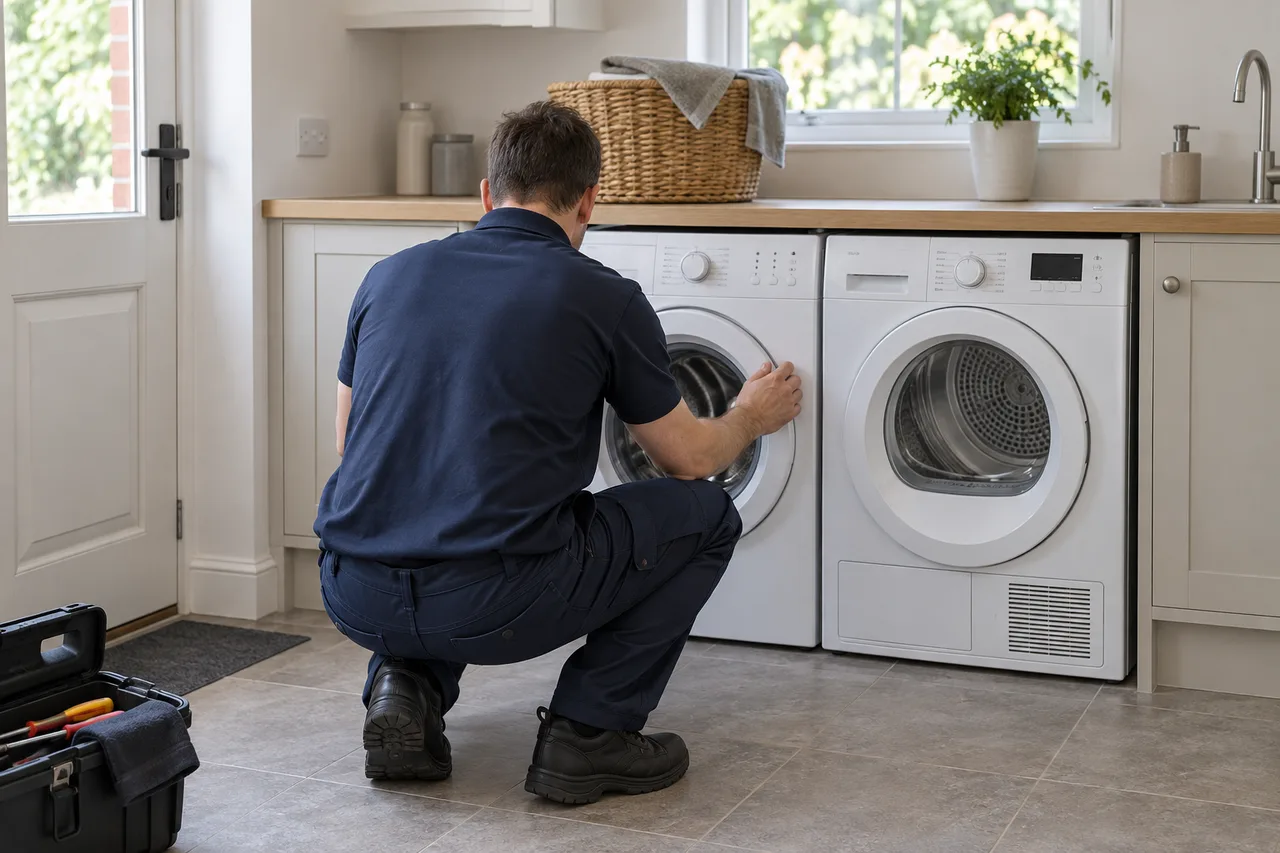
AI illustration of an engineer seen from behind beside a washing machine and tumble dryer
Original AI-generated service illustration—not a photograph of UKCDA staff or a completed job.

PREPARING YOUR REQUEST

Prepare the details safely.

Send the full model and the programme or function affected. Mention an integrated front, stacked appliance or restricted access. Leave covers, fitted appliances and connections in place.

What to include in your enquiry →
WhatsApp us