Distinguish water supply from drainage
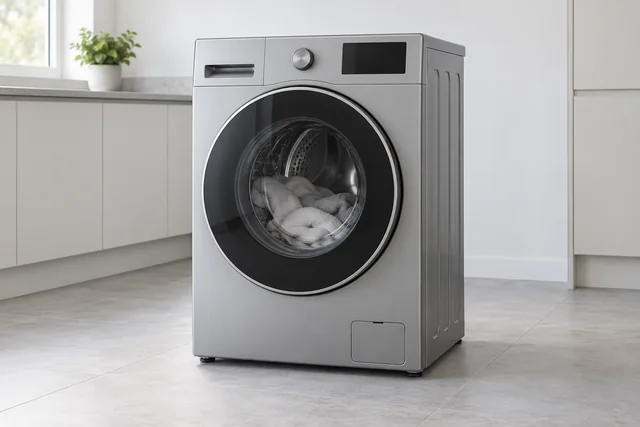
Samsung associates 4C or 4E with water-supply concerns and 5C or 5E with drainage on applicable washing machines. Copy the code carefully: letters and numbers can look similar. Explain whether the machine filled, where it stopped and whether water remains visible. Include any recent plumbing work. Those observations help assess the appliance and installation together, without assuming either an inlet valve or pump has failed.
Unbalanced spin is not the same as a stationary drum
If a Ub or UE message appeared, tell us about the load and what happened during the final spin. Samsung distinguishes this behaviour from other drum or drive-related messages. Describe whether the drum turned during washing, whether the programme extended and whether vibration is new. A recent move or installation can be relevant. Do not rerun a machine that is leaking, smells burnt or trips the electricity to obtain another example.
Doors, features and the complete model code
Report a main-door issue separately from an AddWash door or automatic dispenser concern, and only identify those features if fitted. Samsung's full model code, including its suffix, is more useful than an EcoBubble or Bespoke range name. Use accessible paperwork if the door is locked. Do not force the latch or move a heavy washer to read a hidden label; mention stacked or restricted access when arranging the enquiry.
Safe checks and deciding your next step
For checks that do not involve dismantling the appliance, read the washing machine safety guidance. If you are weighing up a repair and a replacement, see what affects that decision. Your exact model handbook takes precedence over general guidance.
Details to include with this request
- Complete Samsung model code and safely available serial number.
- Exact code, programme stage and whether water is left inside.
- Drum movement during washing compared with the final spin.
- Door or optional-feature concern, recent move and stacking arrangements.
Identify the exact Samsung model
Samsung's UK manual finder uses the complete model code to select the correct product instructions; features differ between versions. Samsung UK manuals and guides
Copy the complete reference as printed, including any suffix. Use an accessible label or your appliance paperwork; leave built-in units, electrical covers and heavy appliances in place. If the label cannot be reached safely, explain this when you contact us.
For the manufacturer’s explanation of the feature discussed here, see Samsung UK washing-machine information codes.
If you are considering a replacement
If you want a new washer installed, give the proposed model and existing connection details, including stacking or furniture restrictions. Repairs and replacement fitting have different scopes, and extra alterations are agreed separately.
Read the washing machine installation guide →
Samsung washing machine repair questions
Does Samsung 5C always require a replacement pump?
No. It describes a drainage concern on applicable models, and the cause needs assessment. Send the code and observations rather than buying a part from a generic list.
Can the machine be repaired if there is no fault code?
A code is not required to make an enquiry. Describe the programme and visible change, such as water left inside or unusual movement, and provide the model so the office can review the next step.
What details help with a Samsung washing machine repair enquiry?
Report whether the machine fills, drains, turns the drum or stops before spinning. Include when the problem occurs and any code exactly as shown. Do not force a locked door or dismantle the pump.
Local repair visits: M25, Surrey, DA and RM
Samsung washing machine repair London — planning your visit
Identify the full Samsung model rather than relying on EcoBubble, AddWash or another feature name. Describe the symptom and copy the display exactly, including letters and numbers. A filling warning, retained water and a load that cannot spin are different observations; do not order a part from the code alone.
Samsung call-outs start from £90 plus parts outside Central London and £120 plus parts in Central London. The office confirms the amount for the exact model, fitting and address before booking. If the appliance may still be covered by a Samsung guarantee, check those arrangements before authorising an independent chargeable visit.
These local guides add information for the stated appliance and area:
Local Samsung washing machine repair guides
- Ashford (Surrey), Staines-upon-Thames and Sunbury-on-Thames
- Bexley, Bromley, Greenwich, Lewisham and DA postcode areas
- Camberley and Frimley
- Caterham, Warlingham, Oxted and Lingfield
- Cobham, Esher and East Molesey
- Croydon and Sutton
- Dorking and Leatherhead
- Ealing, Acton and Hanwell
- Enfield, Haringey, Islington and Camden
- Epsom, Ewell, Ashtead and Banstead
- Farnham and Haslemere
- Guildford, Godalming and Cranleigh
- Harrow, Brent, Hillingdon, Barnet and Hendon
- Hounslow, Chiswick and Hammersmith & Fulham
- Ilford, Redbridge, Barking and Dagenham
- Kingston, Richmond, Wimbledon, Merton and Wandsworth
- Reigate, Redhill and Horley
- Romford, Havering and RM postcode areas
- Stratford, Newham, Hackney, Tower Hamlets and Waltham Forest
- Westminster, Mayfair, City of London, Kensington & Chelsea, Lambeth and Southwark
- Weybridge, Walton, Addlestone, Chertsey, Egham and Virginia Water
- Woking and West Byfleet
Our service territory includes addresses inside the M25, all Surrey and every DA and RM postcode, including DA and RM addresses outside the motorway. Coverage is not a promise of an immediate appointment: the office confirms the model, required work and visit arrangements.
Send the full address, appliance details and best visit contact. UKCDA checks the enquiry, explains the applicable charges and confirms an appointment with you. Parts availability and further work are assessed for the individual appliance. The request form does not take payment or reserve a visit.
Choose your area with this Samsung appliance already selected →
See our service-area guide or contact the office about access, a tenant’s domestic appliance or a property-management enquiry.