Record the full message, not a guessed component
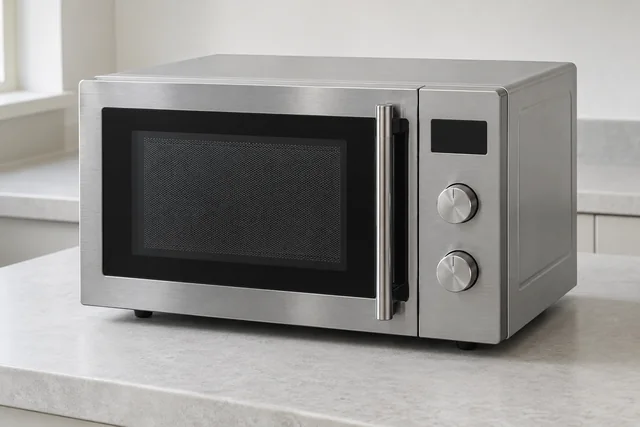
Samsung's UK microwave guide distinguishes temperature, communication and touch-control information codes. For example, C-d0 or SE-style messages concern a prolonged touch-key input on applicable models, not an automatic instruction to replace the whole control board. Copy the exact characters and describe what was happening when they appeared. Use the model's own guidance; similar-looking codes across other appliances need not mean the same thing.
Microwave heating versus another cooking mode
Say whether microwave, grill or another fitted combination function was selected when the result changed. A running fan, light or turntable is not proof of microwave heating, while warmth from another mode does not confirm it either. Describe an ordinary use you already observed and whether the cycle stopped early. Do not run the appliance empty or repeat a test if there was sparking, unusual burning or damage.
Door safety and built-in access
Do not use a microwave with a damaged door, latch or sealing area, and never interfere with its interlocks. Internal inspection is not a customer preparation step: keep the casing in place even after disconnection. If fitted into a cabinet, provide the mounting height and model from accessible paperwork rather than pulling it out. Repair suitability, charges and any replacement-installation alternative are discussed for the actual appliance.
Safe checks and deciding your next step
For checks that do not involve dismantling the appliance, read the microwave safety guidance. If you are weighing up a repair and a replacement, see what affects that decision. Your exact model handbook takes precedence over general guidance.
Details to include with this request
- Complete Samsung model code and freestanding or built-in arrangement.
- Microwave or other selected cooking mode and the result observed.
- Exact code, touch-control response and separate turntable behaviour.
- Door damage, sparking concern and safe access to the installation.
Identify the exact Samsung model
Samsung's UK manual finder uses the complete model code to select the correct product instructions; features differ between versions. Samsung UK manuals and guides
Copy the complete reference as printed, including any suffix. Use an accessible label or your appliance paperwork; leave built-in units, electrical covers and heavy appliances in place. If the label cannot be reached safely, explain this when you contact us.
For the manufacturer’s explanation of the feature discussed here, see Samsung UK microwave information-code guidance.
If you are considering a replacement
For a built-in replacement, send the proposed model and housing dimensions. Trim, ventilation and electrical requirements differ; cabinet changes and removal must be separately agreed.
Read the microwave installation guide →
Samsung microwave repair questions
Does an SE message identify a failed control board?
No. Samsung links the applicable touch-key message to the detected input condition. The model and inspection are needed to establish the cause; a generic code table is not sufficient for ordering a board.
Can I book for a microwave that still lights up but does not heat?
Send the full model and describe the function selected for a suitability check. Working lights do not diagnose the heating system, and no repair outcome or price can be confirmed from that observation alone.
What details help with a Samsung microwave repair enquiry?
Tell us whether it is built-in, freestanding or a combination appliance and whether it starts, heats, sparks or shows a code. Stop use if it sparks, smokes or has door damage. Never remove the case: internal components can remain dangerous after unplugging.
Local repair visits: M25, Surrey, DA and RM
These local guides add information for the stated appliance and area:
Local Samsung microwave repair guides
Our service territory includes addresses inside the M25, all Surrey and every DA and RM postcode, including DA and RM addresses outside the motorway. Coverage is not a promise of an immediate appointment: the office confirms the model, required work and visit arrangements.
Send the full address, appliance details and best visit contact. UKCDA checks the enquiry, explains the applicable charges and confirms an appointment with you. Parts availability and further work are assessed for the individual appliance. The request form does not take payment or reserve a visit.
Choose your area with this Samsung appliance already selected →
See our service-area guide or contact the office about access, a tenant’s domestic appliance or a property-management enquiry.