Induction pan recognition and zone behaviour
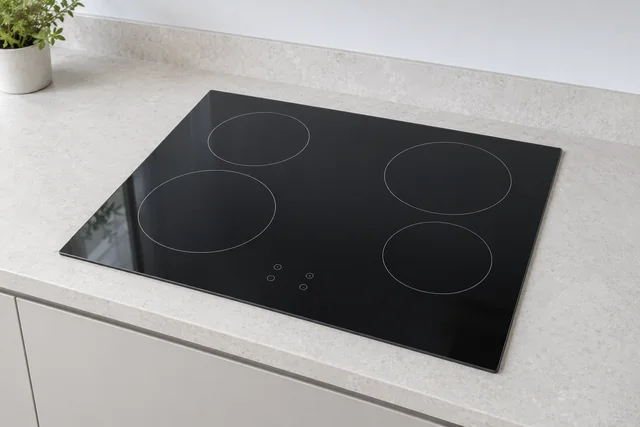
Samsung's UK hob guidance describes pan detection on induction models. Tell us whether the concern occurred with a new pan, a familiar pan or a different zone, and record any symbol seen during ordinary cooking. Pan material, size and placement are relevant context, not proof that the electronics are healthy or faulty. Do not test additional pans on cracked glass or a hob that has caused an electrical trip.
Flex zones, touch controls and residual heat
Some Samsung hobs offer a Flex Zone while other models use separate fixed cooking areas. Identify which arrangement you actually have and whether the issue affects one control, a linked area or the whole panel. Report a lock or heat indication exactly instead of assuming every illuminated symbol is a fault code. Mention recent liquid spills or installation work without lifting the hob to investigate.
Model identification and repair suitability
Use the full model code from the handbook, purchase paperwork or a safely visible label. An NZ-series description or advertised width alone is insufficient to plan parts or fitting. Describe damage and the accessible route to the appliance. This page concerns electric and induction enquiries; it is not approval for gas work. The office checks the actual model and required expertise before agreeing the visit and charges.
Safe checks and deciding your next step
For checks that do not involve dismantling the appliance, read the electric & induction hob safety guidance. If you are weighing up a repair and a replacement, see what affects that decision. Your exact model handbook takes precedence over general guidance.
Details to include with this request
- Complete Samsung hob model code from accessible information.
- Electric ceramic or induction type and the affected zone or controls.
- Pan context, selected setting and exact displayed symbol.
- Glass damage, electrical tripping and recent fitting or kitchen changes.
Identify the exact Samsung model
Samsung's UK manual finder uses the complete model code to select the correct product instructions; features differ between versions. Samsung UK manuals and guides
Copy the complete reference as printed, including any suffix. Use an accessible label or your appliance paperwork; leave built-in units, electrical covers and heavy appliances in place. If the label cannot be reached safely, explain this when you contact us.
For the manufacturer’s explanation of the feature discussed here, see Samsung UK hob types and pan-detection guide.
If you are considering a replacement
Supply the current cut-out measurements where safely known and the proposed model. Electrical supply changes and cabinet alterations are assessed separately; do not disconnect or lift the existing hob for the enquiry.
Read the electric & induction hob installation guide →
Samsung electric & induction hob repair questions
Why ask about the pan when an induction zone will not heat?
Induction models use pan recognition, so the pan and its placement help explain the observation. That does not diagnose the appliance; persistent or unsafe behaviour still needs a model-specific assessment.
Can a replacement hob use the same opening automatically?
No. Similar external dimensions do not prove matching cut-out, ventilation or electrical requirements. Send both model codes before installation is agreed rather than assuming a like-for-like fit.
What details help with a Samsung hob repair enquiry?
Report the affected zone, displayed symbols and whether different suitable pans behave differently. Tell us the fuel or hob type so the office can confirm suitability; do not attempt internal electrical or gas work.
Local repair visits: M25, Surrey, DA and RM
These local guides add information for the stated appliance and area:
Local Samsung hob repair guides
Our service territory includes addresses inside the M25, all Surrey and every DA and RM postcode, including DA and RM addresses outside the motorway. Coverage is not a promise of an immediate appointment: the office confirms the model, required work and visit arrangements.
Send the full address, appliance details and best visit contact. UKCDA checks the enquiry, explains the applicable charges and confirms an appointment with you. Parts availability and further work are assessed for the individual appliance. The request form does not take payment or reserve a visit.
Choose your area with this Samsung appliance already selected →
See our service-area guide or contact the office about access, a tenant’s domestic appliance or a property-management enquiry.