Identify the selected mode
Describe reheating, defrosting, grilling or combination cooking separately, with the setting already used. Include the complete display message and whether the programme finished. Do not run the appliance empty or try a different metal accessory as a test; cookware suitability changes with mode and the exact handbook.
Sparking and door damage mean stop
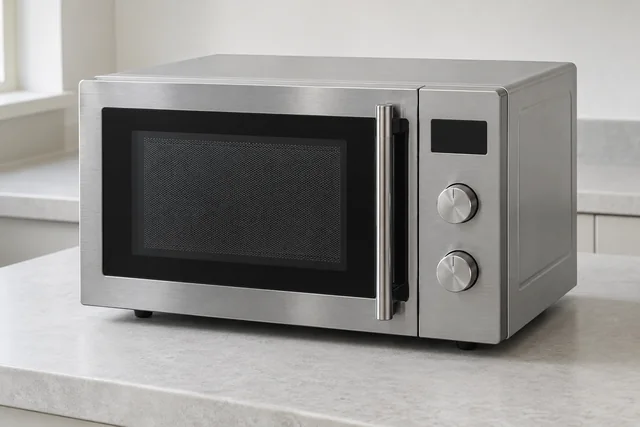
Leave a microwave unused if it sparks, smells burnt or has damage around its door or sealing areas. Report what happened without recreating it. Never remove the casing or interfere with interlocks, including after unplugging. Internal repair suitability must be confirmed for the actual unit.
Trim kits and built-in ventilation
Provide the model and fitting arrangement from accessible documents. Say whether a trim kit, cabinet or obstructed vent is involved without removing the microwave. For replacement, send the new reference so housing and ventilation can be reviewed. Similar external dimensions do not establish safe interchangeability.
Safe checks and deciding your next step
For checks that do not involve dismantling the appliance, read the microwave safety guidance. If you are weighing up a repair and a replacement, see what affects that decision. Your exact model handbook takes precedence over general guidance.
Details to include with this request
- Model and solo/grill/combination format.
- Countertop or built-in fitting and trim kit.
- Selected mode, result and exact message.
- Sparking, door damage and access restrictions.
Identify the exact Hotpoint model
Send the full model, serial and service information from accessible paperwork or a label. Use Hotpoint's current support and safety-notice routes for your exact appliance; do not move a fitted unit to find the plate. Hotpoint UK help and model-specific advice
Copy the complete reference as printed, including any suffix. Use an accessible label or your appliance paperwork; leave built-in units, electrical covers and heavy appliances in place. If the label cannot be reached safely, explain this when you contact us.
For the manufacturer’s explanation of the feature discussed here, see Hotpoint UK appliance support.
If you are considering a replacement
Give the complete model and say whether it is built-in, combination or countertop. Include any cabinet, trim-kit or ventilation details from the product information and describe the fitting help required.
Read the microwave installation guide →
Hotpoint microwave repair questions
Can I photograph the inside after removing the cover?
No. Keep the casing and interlocks untouched. Accessible model information and a description of the observed fault are the appropriate preparation.
What is included in the fixed repair call-out?
For a Central London service address, the standard freestanding call-out is £90 plus parts. Integrated appliances of any brand start from £120 plus parts in Central London. Outside Central London, fixed call-out charges start from £75, depending on your appliance's make and model and whether it is freestanding, integrated or another appliance type. Our office confirms the service address and applicable amount by phone before arranging your visit. The agreed charge covers the first visit, repair labour and any return visit needed to fit parts for the same agreed repair. There is no extra labour or repeat call-out charge for that repair. Parts are priced separately and approved before fitting.
What details help with a Hotpoint microwave repair enquiry?
Tell us whether it is built-in, freestanding or a combination appliance and whether it starts, heats, sparks or shows a code. Stop use if it sparks, smokes or has door damage. Never remove the case: internal components can remain dangerous after unplugging.
Local repair visits: M25, Surrey, DA and RM
These local guides add information for the stated appliance and area:
Local Hotpoint microwave repair guides
Our service territory includes addresses inside the M25, all Surrey and every DA and RM postcode, including DA and RM addresses outside the motorway. Coverage is not a promise of an immediate appointment: the office confirms the model, required work and visit arrangements.
Send the full address, appliance details and best visit contact. UKCDA checks the enquiry, explains the applicable charges and confirms an appointment with you. Parts availability and further work are assessed for the individual appliance. The request form does not take payment or reserve a visit.
Choose your area with this Hotpoint appliance already selected →
See our service-area guide or contact the office about access, a tenant’s domestic appliance or a property-management enquiry.